This is the firmware update file for the ICSW7C, WT7C, W22C, WT22C, W22B, W7CPT, W22CPT. NOT FOR THE H7D or 7/22D or 7/22E range.
Download the file from this article, keep it in the format it is, don't unzip it or rename it.
Log on to the chargers Wi-Fi hotspot – ICS-2.4GHz-XXXXXX the password will be ics654321
Option 1
If you cannot log in with the above web address, then use 192.168.10.1 it should prompt you for a username and password which is:
Id this does not prompt you for user name and password, then try "Option 2"
Username: install
Password: icspass21 (default if it has not been changed)
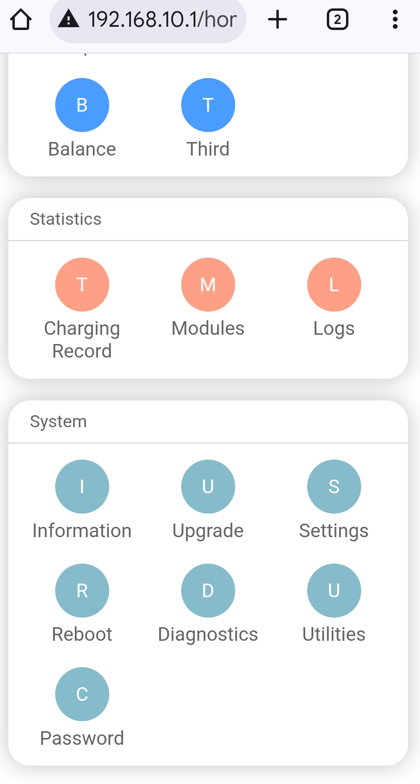
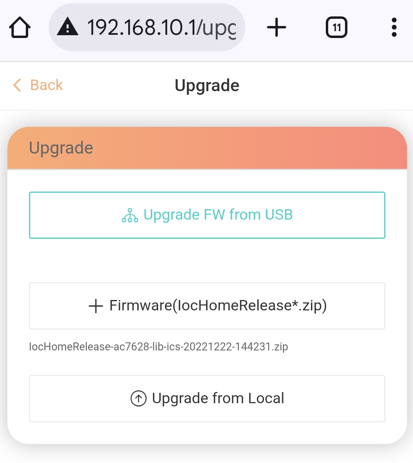
Select "Upgrade"
Select "+ FIrmware(HomeRelease*.zip)"
Search for file downloaded
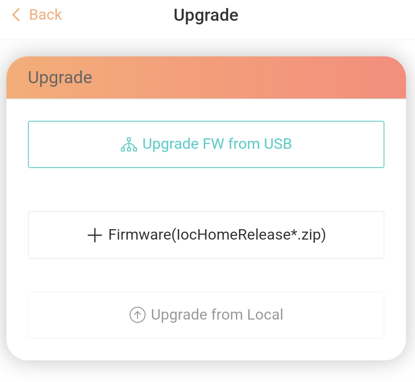
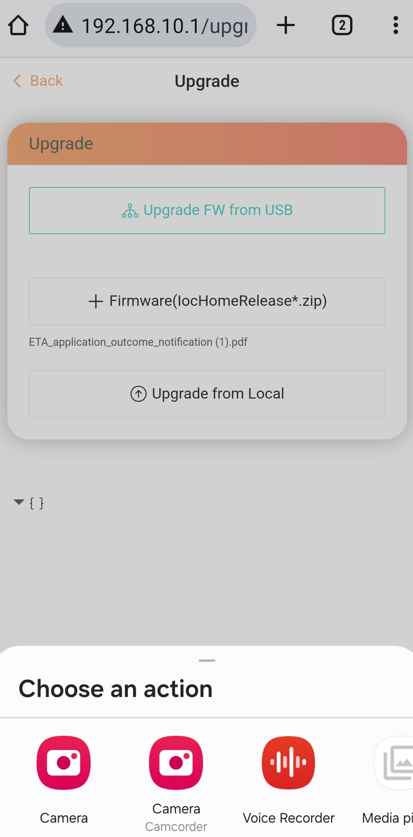
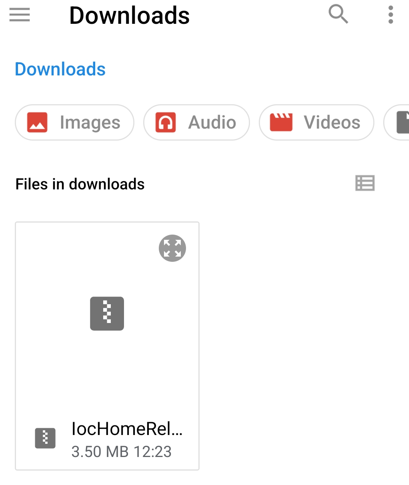
Then select "Upgrade from Local"
Option 2
Once connected, go to an internet browser and navigate to 192.168.10.1:8080 it should prompt you for a username and password which is:
Username: install
Password: icspass21 (default if it has not been changed)
Once logged on, go to ‘system’ at the top of the screen

Select choose file and select one the firmware file attached.
Once uploaded press ‘Upgrade from Local’ and wait for the charger to reboot.
Important:
Once the charger has rebooted, the configuration page will change, Download or follow the relevant chargers instructions labelled 'Installation Guide' attached.
Was this article helpful?
That’s Great!
Thank you for your feedback
Sorry! We couldn't be helpful
Thank you for your feedback
Feedback sent
We appreciate your effort and will try to fix the article