This firmware is for the security update for the chargers for the ICSW7C, WT7C, W22C, WT22C, W22B, W7CPT, W22CPT (NOT FOR THE H7D) to be used on the iCS2.0Lite Free APP.
Step 1 – Download the Update File
At the bottom of the article, download the ZIP file provided.
Do not unzip, rename, or modify the file. Leave it exactly as downloaded.
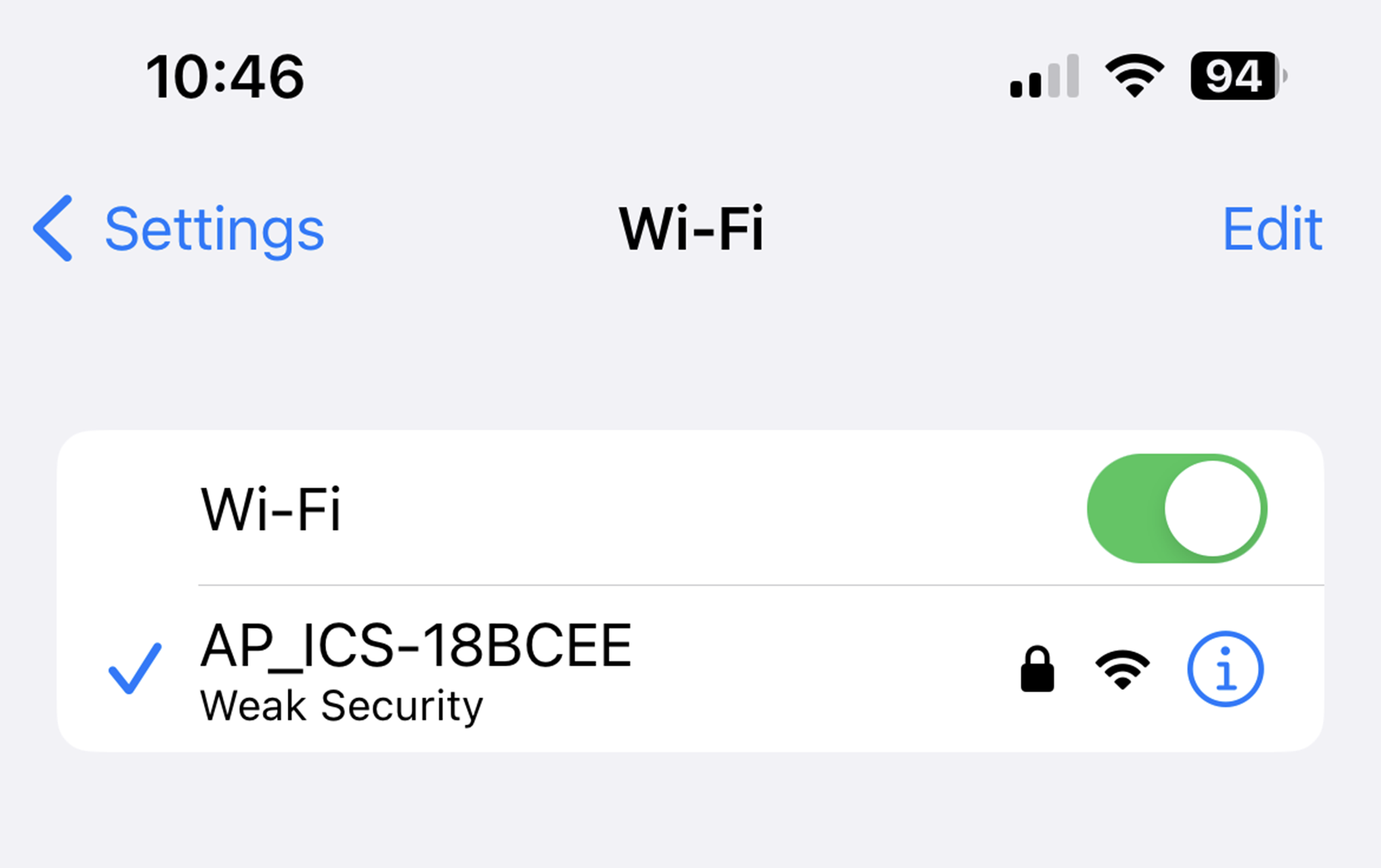
Step 2 – Connect to the Charger’s Wi‑Fi Hotspot
Each charger broadcasts a Wi‑Fi hotspot named: ICS-2.4GHz-XXXXXX
- Connect to this signal.
- Enter the password: ics654321
- Stay next to the charger to ensure the connection remains stable.
Step 3 – Log In to the Charger Interface
1. Open your device’s default browser
iPhone → Safari
Android → Chrome
2. In the address bar, enter 192.168.10.1:8080
3. When prompted, log in using:
Username: install
Password: icspass21
Once logged on, go to ‘system’ at the top of the screen
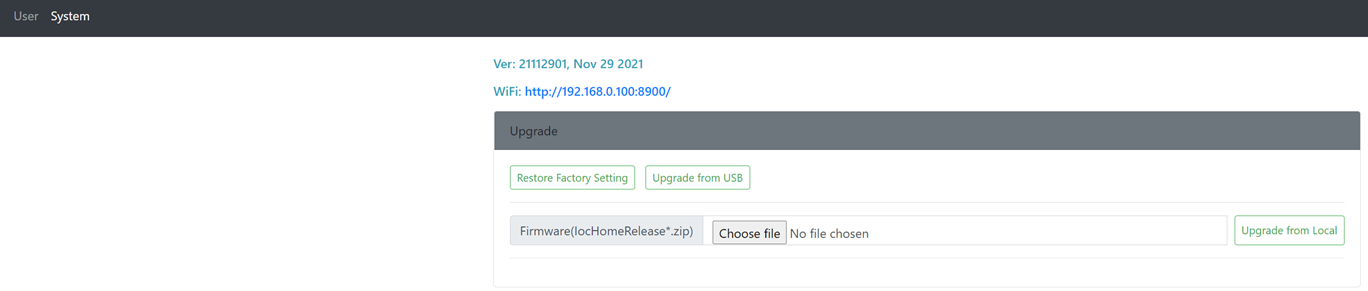
Select 'choose file' and select the firmware file downloaded in step 1.
Once uploaded press ‘Upgrade from Local’ and wait for the charger to say 'upload complete'.
4. Press 'Reboot All' at the bottom of the page and confirm.
Was this article helpful?
That’s Great!
Thank you for your feedback
Sorry! We couldn't be helpful
Thank you for your feedback
Feedback sent
We appreciate your effort and will try to fix the article